The NYSC Dashboard is like your page where you can do a lot of things during the National Youth Service Corps program. Think of the NYSC dashboard as your personal profile where you can make changes and do almost everything relating to NYSC.
To go to the NYSC dashboard, you can click the button below and in a second if you have a good Internet connection, you will be redirected to the page where you will login.
[button color=”red” size=”medium” link=”https://portal.nysc.org.ng/nysc1/ResumePayment.aspx” icon=”” target=”true”]CLICK HERE TO GO TO DASHBOARD[/button]
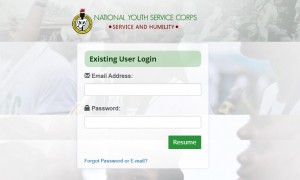
You just need to put your Gmail and password and click the resume button. Then you will be in your dashboard. It will work on any browser but I won’t advise you to use Operamini. Chrome, Mozilla, UC Web, and others will work perfectly.
How To Login To The NYSC Dashboard
Let me show you how to login to your NYSC dashboard in just 3 steps. It is important to note that you can only access the National Youth Service Corps dashboard only if you have done your NYSC registration. If you are a prospective Corps Member or you are yet to be mobilized, you won’t be able to get to the dashboard page. [Read also: Top 10 Reasons People Hustle To Do NYSC In Lagos]
Once you have done your registration and you have your Gmail and password, follow the steps below to login.
Step 1. CLICK HERE to go to the NYSC Portal.
Step 2. Enter your Gmail and Password
Step 3. Click ‘Resume’
You should be on your dashboard in few seconds providing you have a good Internet connection.
Once you login, there might be a pop-up notification message, you can read it because it’s always an important notification and then you can click close to close the pop-up.
Things You Can Do
There are quite some important things you can do on your NYSC dashboard.
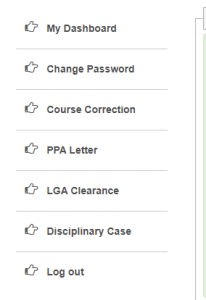
Change Password
This is for people who want to change their NYSC password for any reason. You can do that from this page. Just click the change password and follow the simple instruction.
Course Correction
Incase you want to apply for course correction for any reason, you can do it from this page. Just click the course correction from your dashboard and apply.
PPA Letter
You can print or check your NYSC PPA letter from your dashboard also. Immediately after the Orientation camp, you will be able to access your PPA letter from your dashboard.
LGA Clearance
You can track the monthly clearance status from here. Click and the rest is self-explanatory.
Disciplinary Case
This is for people who have a case with the management.
If you also scroll down your NYSC dashboard, you will see some other information that can be useful.
Thanks for reading.